Kawasaki AS · welding cells · subscription

From welding-robot setup to control of every seam

Five connected tools for Kawasaki robots: cell automation, an AS-code IDE, shifting for part sizes, monitoring with backups, and a 3D seam map with welding parameters. Built by an engineer who programs robots on a production floor.

Reply within 24 hours · EN / LV / RU

5modules working together
ASnative Kawasaki language, no converters
0open ports: the agent connects out from your network
1 dayinstead of weeks for a program variant for a new size

01 · The suite

The whole welding-robot workflow in five connected modules

Modules can be introduced one at a time, but together they cover everything: from cell logic to a record of which seam was welded with which settings.

  1. 01KW ADMIN

    Cell automation

    Installs proven automation logic on the welding robot: two-station jigs, tack and weld passes, part counters, sizes and pre-blocks.

    • pr_start launch template for your cell
    • Alternating table 1 / table 2 operation
    • Manual edits always remain possible
    kwadmin.1525.pro
  2. 02KWS IDE

    AS-code IDE

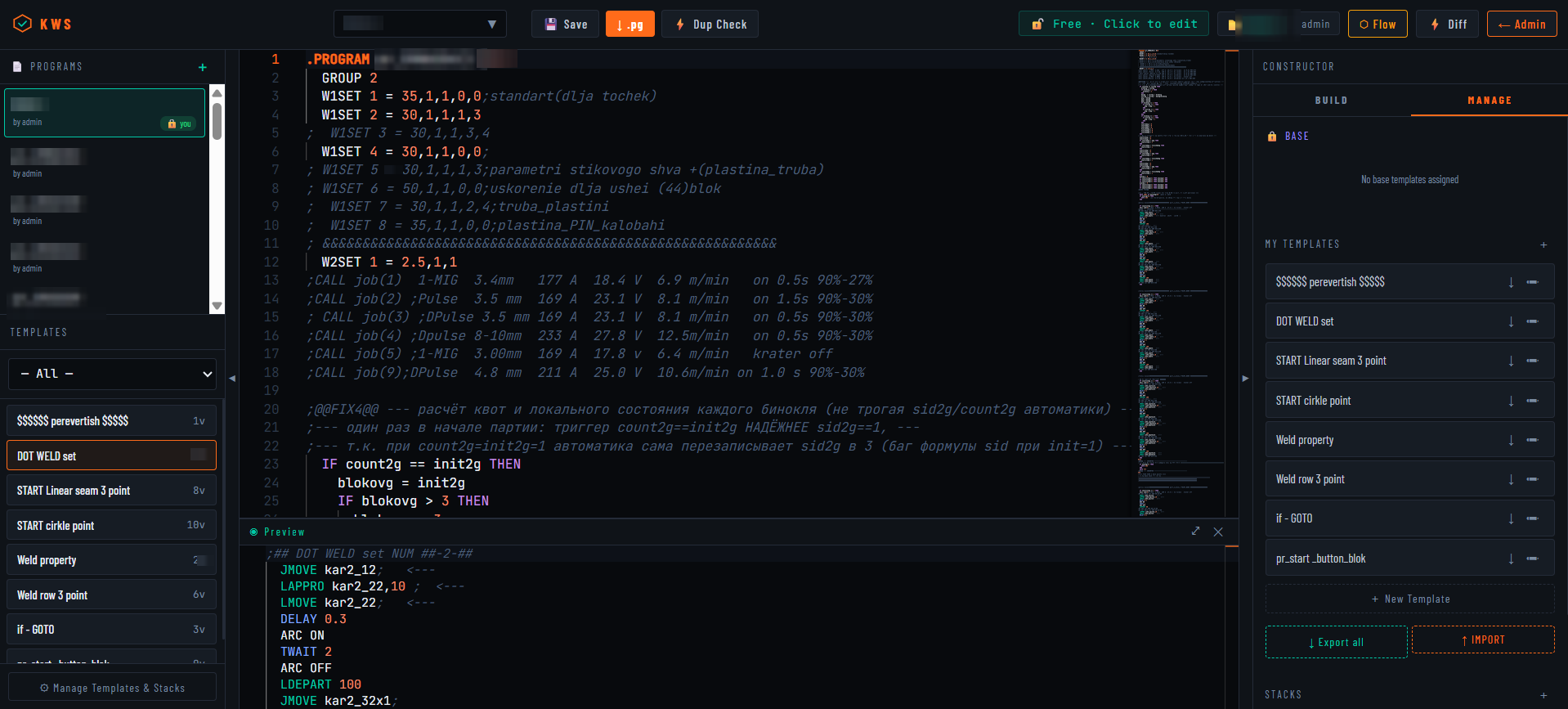
    A browser workspace for writing and checking Kawasaki AS programs: seam templates, duplicate-variable checks, version diff and a jump map.

    • AS syntax highlighting and checks
    • Diff of two program versions
    • Map of GOTO jumps and size branches
    kwside.1525.pro Details →
  3. 03KW SHIFT

    Shifting and duplication

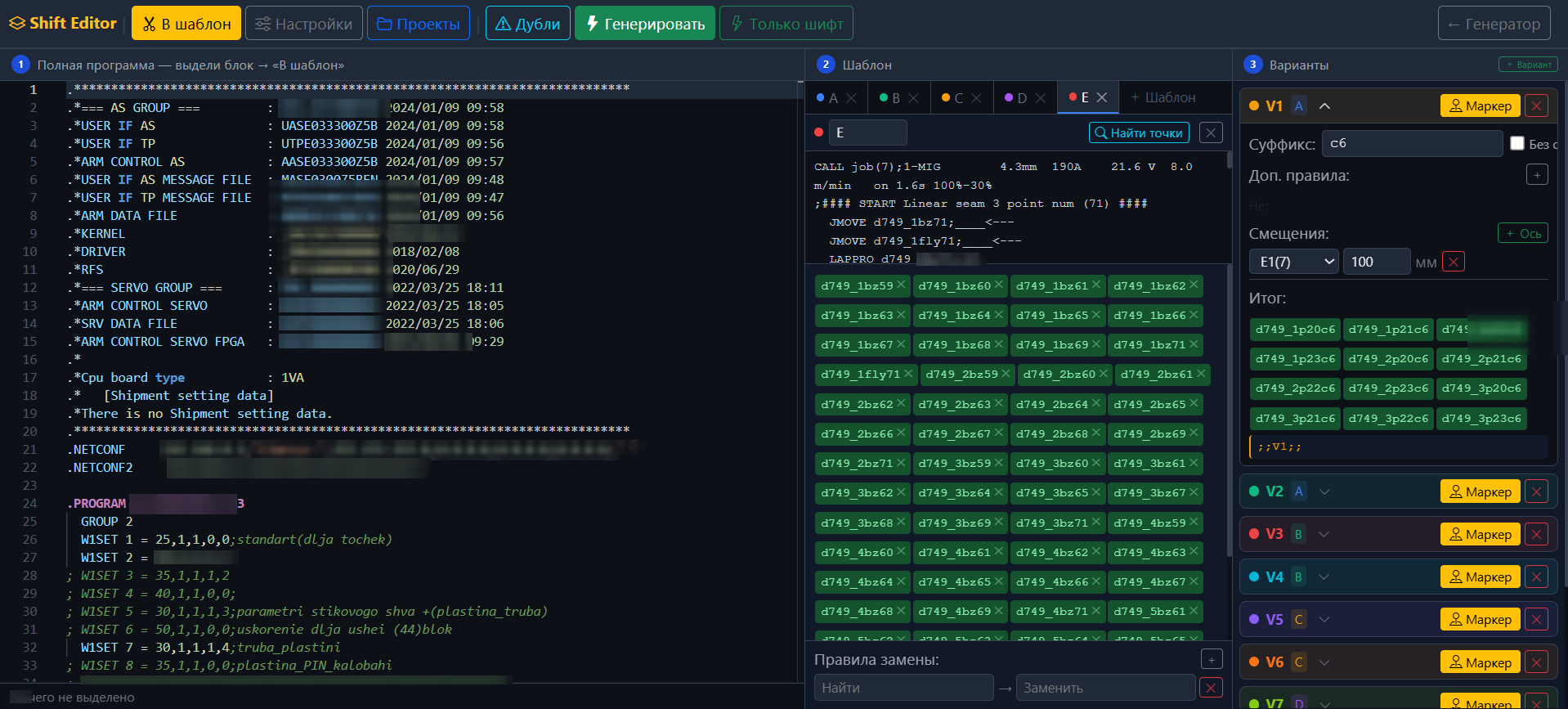
    Shifts points and duplicates welds along any axis. One debugged program becomes variants for every part size, with new point names.

    • X / Y / Z shift for a block or the whole program
    • Conflict-free automatic point renaming
    • Generator comments are preserved
    kw.1525.pro Details →
  4. 04K MONITOR

    Monitoring and backups

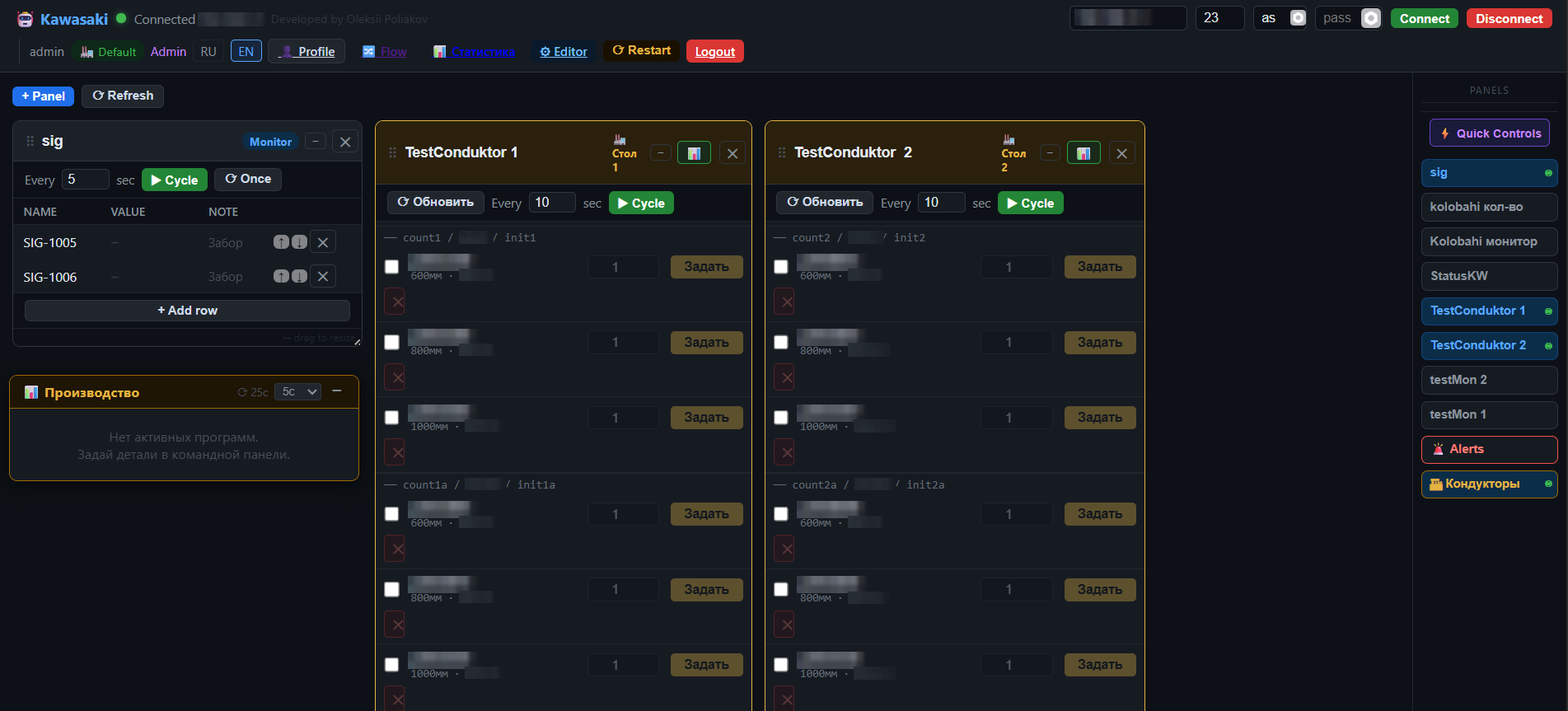
    Network link to the controller: robot status, shift jobs, .as and .pg backups, editing a program directly on the robot, and a version archive.

    • Full backup and single-program backup
    • Operator panel: parts, counter, status
    • Works together with KW Admin
    kmonitor.1525.pro Details →
  5. 05WELDMARK PRO

    3D seam map

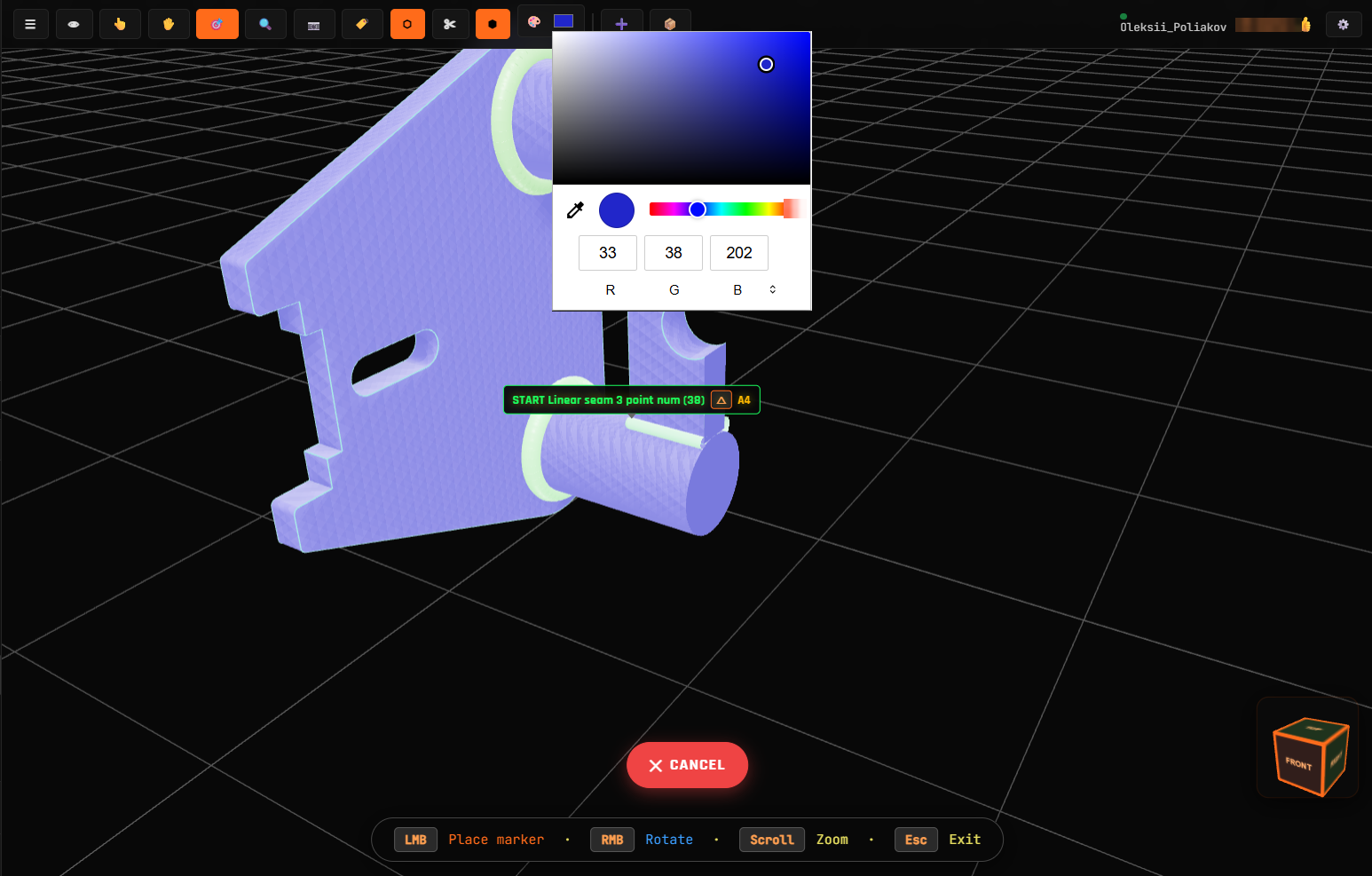
    Seams are marked on the 3D part model, each with its own welding parameters. You see which seam the robot is welding right now and with which settings.

    • Live robot position and current seam
    • WPS and machine settings for every seam
    • AS-code generation from markings — beta
    item.1525.pro Details →

Data chain: markings in WeldMark → AS code in KWS IDE → variants in KW Shift → launch via KW Admin → control in K Monitor and back to WeldMark.

02 · WeldMark Pro for welders

Stop guessing seams from a drawing. See them on the model — with the machine settings.

WeldMark Pro is useful without a robot too. A manual welder, a section lead or an inspector opens the part on a tablet, rotates it and immediately sees every seam: type, length, order and welding mode.

  • 3D part model in the browser: phone, tablet, PC
  • Per seam: current, voltage, wire feed, gas, WPS
  • Weld symbols shown right on the model
  • Intermittent welds defined by length and pitch
  • With a Kawasaki robot: highlights the seam being welded now
Request a WeldMark demo
3D · seams
WeldMark Pro
Seam 14 · fillet◺ a5
Process
MAG 135
Current
185 A
Voltage
23.4 V
Wire feed
8.2 m/min
Gas
Ar/CO₂ · 15 l/min
Leg size
5 mm · WPS-07
Sample seam card

03 · Products

Working tools, not mock-ups

Each tool grew out of a specific problem on a production floor and is used in real work.

Weld management on a 3D model

WeldMark Pro

A web platform for visually marking seams, attaching WPS and equipment parameters, locating problem areas and linking each weld to the robot program.

One visual part map instead of scattered files

Open product →
Cloud IDE for welding robots

Kawasaki Welding Studio

A browser workspace for creating, validating and storing Kawasaki AS programs, with weld templates, duplicate protection and controlled collaboration.

Less copy-paste, fewer errors and faster verification

Open product →

Robot-program variant generator

Kawasaki Shift Editor

A tool for shifting points and automatically assembling variants of a large Kawasaki AS program for different sizes of the same part.

In the documented workflow, weeks of manual work become one day

Open product →

Remote Kawasaki robot operations

K Monitor

A unified console for production jobs, remote monitoring, commands, backups and real-time robot-code editing.

Operators see production while engineers manage code in one system

Open product →

04 · How we work

We look at the robot first, then we promise

  1. 1

    Audit

    Free: we review the controller, programs, network access and cell bottlenecks.

  2. 2

    Pilot

    1–2 months on one cell. We record before/after in hours and rejects.

  3. 3

    Roll-out

    Agent in your network, robot connection, operator and engineer training, documentation.

  4. 4

    Support

    Per-robot subscription: updates, changes for new parts, reply within 24 hours.

05 · Reliability

Made for the shop floor, not for a slide deck

The robot stays in your network

The controller is reached through an agent inside the plant. Nothing is opened to the outside, data is encrypted, access is for your engineers only.

Native AS code

Everything the suite generates is plain readable AS code. It can always be fixed by hand.

Backup before every change

A copy is saved before anything is loaded to the robot. Rolling back is one button.

Compatibility checked up front

Kawasaki controllers with the AS language. Network, Telnet and PLC links are checked at the audit — before any promises.

06 · Contact

Describe your cell — we will suggest the next step

Robot and controller model, what you weld, where time is lost. Two or three sentences are enough.

Latvia · serving the Baltics and the EU

Message on Telegram

No newsletters. Your data is used only to answer this request.